
InfoHub
Workplace Self-Service & Information Hub for Your Deskless Teams
People without desks get the information they need in the right format and can act on it immediately on shared screens
where work happens, keeping employees and the company aligned.
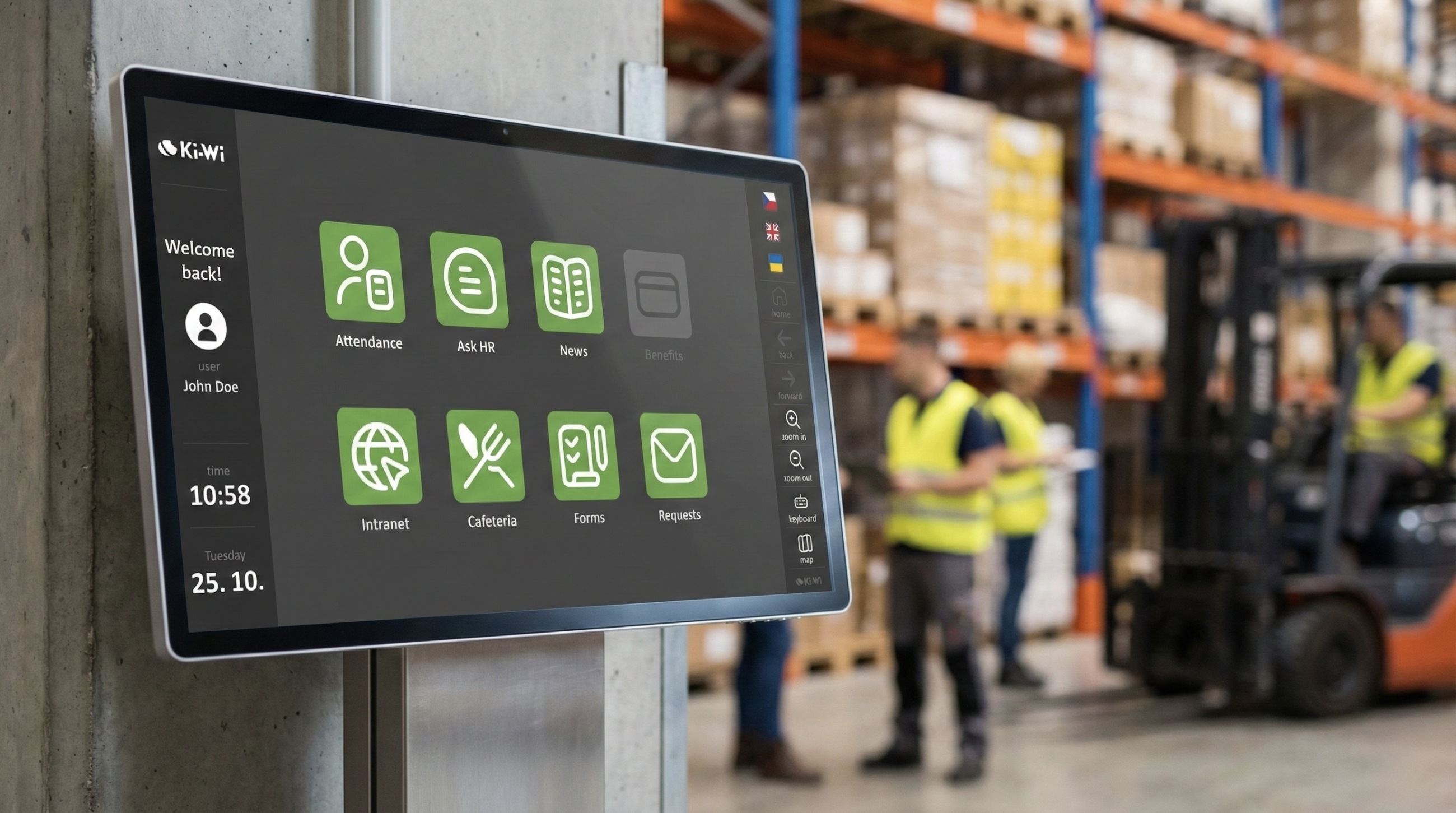


What is InfoHub
- A single workplace information hub running on shared screens and kiosks across your sites.
- Built for people without desks to access essential HR services, documents and operational data in one place.
- Connected to your existing enterprise systems through integrations and APIs instead of replacing them.
- Protected by enterprise-grade security that controls who can do what on shared devices, so you can safely bring critical systems and data to the workplace.
-
Proven in demanding industrial environments across automotive manufacturing, machinery and equipment production, electronics, building materials, and large-scale food production.


InfoHub helps companies simplify everyday tasks and employee services for deskless teams
and gives them a controlled interface to the systems and data they already rely on.
How InfoHub supports your teams
Two key areas in one system: employee services and day to day operations.
Employee self-service
InfoHub gives deskless employees simple access to the same services, documents and updates as office staff, all in one place on shared screens.
-
Employees can easily access attendance, payslips, vacation, canteen services, internal documents, training and other employee services, while you decide what is available for each team and role.
-
They can handle tasks right where they work, from submitting requests and updating details to confirming training, signing documents or sending feedback, without unnecessary calls and paperwork.
With everything organised in one hub, information stays consistent across the company, employees stay connected to what is happening, and support teams spend less time on routine admin and repeated requests.
Live operations overview
InfoHub brings live operational data, instructions and announcements safely into production and logistics areas, in a controlled, enterprise secure way.
-
Teams can view live operational data, current KPIs, order and shift status, safety alerts and interactive work instructions and manuals – all linked to your existing systems and workflows.
-
They can then follow procedures and act on that information directly on shared screens by acknowledging alerts, confirming steps, recording issues or updating status in connected systems – all without needing their own PC.
Supervisors and operations managers see the same live view as teams on site, so they can react to issues and changes much faster.
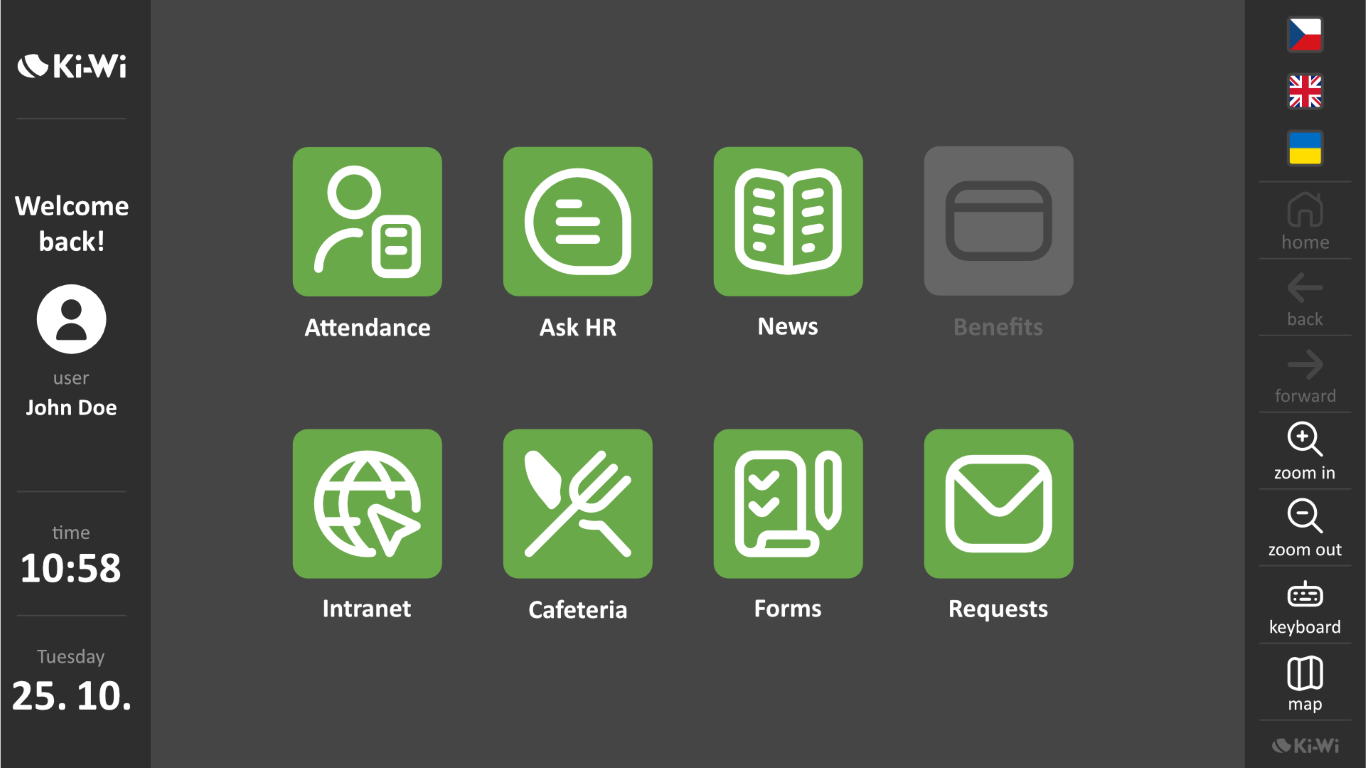

How InfoHub connects to your systems, devices and screens
Your core systems, securely connected to shared screens and workplace devices.
System integrations
A wide range of web, on-premises and cloud applications can be integrated via REST API and direct enterprise data connections, for example:
- Time & attendance systems
TOS, RON, Saitech, Aktion, Interflex - E-signature platforms
Signi, DocuSign - Automatic document sync
SharePoint, OneDrive, Google Drive - Live business data
Power BI - Canteen and meal systems
Septim - Corporate communication platforms
JOBka - Training & e-learning
iTutor, eHuman -
Detailed usage insights
Google Analytics
Peripherals
Flexible device connectivity, incl. serial/COM:
- Barcode and QR code scanners
- Contactless RFID and NFC card readers
- Payment terminals
- Printers with status monitoring
- Document scanners
- Biometric signature pads
- Cameras and microphones
- Motion and presence sensors
Displays
Compatible with screens from many manufacturers (vendor agnostic) and supports both landscape and portrait orientation on:
- Interactive kiosks
- Touchscreens
- AIO devices and PCs

Why companies choose InfoHub
Security by default
- Strong identification and session control – employees sign in with a card or ID and PIN, get appropriate access rights, and are logged out after inactivity so no one can see another person’s data.
-
Secure browser and OS lock-down – a hardened operating system with a whitelist of approved sites and apps prevents users from opening anything outside the defined scope.
- Enterprise-grade protection – encrypted communication, central management and audit logging help you meet internal security policies and compliance requirements.
Tailored to your workplace
-
Mirrors your organisation structure – different home screens and menus for plants, warehouses, offices and teams, while you still manage everything centrally.
-
Flexible setup for each location – you decide which services, systems and tiles appear on each kiosk or screen, and can adjust the configuration as your processes evolve.
-
One solution for many sites – a single InfoHub deployment can serve multiple locations, brands and languages, combining a shared standard with local specifics.
Right format for each person
- Personalised tiles and content – each user sees only the applications, documents and data relevant to their role, team and location, so screens stay focused and easy to use.
- Language that matches the user – interface language (and virtual keyboard layout where needed) follows the user’s profile, with quick switching for multilingual workplaces.
Aligned employees and company
-
Shared, up-to-date information – everyone works with the same current data, and employees have one place on shared screens to see what is happening in the company.
-
Self-service with visible outcomes – employees handle tasks themselves on shared screens and see the result, while departments have all requests in one place and can respond faster.


Customer stories
“Kiosks rapidly decreased the number of requests from our employees.
They can now find most information in the system by themselves easily and directly on the workplace and they do not need to see us personally. Also documents signing and their processing is much faster now.”
- Marketa Krskova -
“For us it was important to connect the kiosk to our information system.
This allows our workers to have access to relevant information about production and necessary production procedures immediately.”
- Jana Rafayova -
“InfoHub kiosks make it easy for employees to access their attendance sheet and accounting info and that alone opens a lot of options.
They have direct access to the employee helpline, they can send requests for their tax settlement, or let us know about a change of their personal data."
- Jaroslava Michalkova -
InfoHub: 10 key capabilities at a glance
System integration hub
Connects to your existing HR, operations and analytics systems via REST API and direct data links.
Secure access on shared devices
Locked-down browser, role-based permissions, card login, auto logout and encrypted communication.
Personalised user experience
User-specific tiles, languages and views limited to each person’s own data and tasks.
Platform-agnostic
Runs on different display types and devices, with central device management.
Store & Play offline mode
Local content cache with uninterrupted playback and automatic sync after outages.
Rich content & app support
Images, video, Office-to-PDF, HTML apps, live dashboards and custom widgets.
Advanced content scheduling
Per-device playlists, time windows, holiday mode, power management and remote control.
Peripherals & hardware integration
Works with RFID/NFC and barcode readers, payment terminals, printers, scanners, sensors and more.
Monitoring and analytics
Real-time monitoring, status reports and usage statistics, with exports to business intelligence tools such as Power BI.
Implementation, training and updates
Solution design, rollout support, user training and continuous system updates.